
Whats a Transcriber
Whats a transcriber. Learn what’s a transcriber, how human and AI transcription work, which skills matter, and where accurate transcripts are used.
A transcriber is a person or a system that turns spoken audio or video into written text. In a market estimate that puts speech and voice recognition at $19.09 billion in 2025 and projects $104 billion by 2034 (MacDaddy.io), that job now exists in two main forms, human transcription and automated speech-to-text.
That matters if you've ever stopped a podcast ten times to catch one quote or tried to find a line in a meeting recording by scrubbing back and forth. A transcriber makes that audio searchable, quotable, and easier to reuse, which is why the role now sits inside a bigger workflow that can include captions, translation, cleanup, and editing.
What a Transcriber Actually Does
You know the feeling, you're halfway through a one-hour podcast, you need one exact line, and you keep replaying the same 12 seconds until it stops sounding like words. A transcriber exists to end that loop by turning speech into text you can search instead of guess through.
A transcriber is a person or a software system that converts spoken audio and video into written text, often with timestamps and speaker labels. The result is a document you can quote, scan, translate, edit, or pass to someone else without replaying the whole recording.
Human work and software work
In the human form, someone listens carefully and types what they hear. That person notices context, catches names, and decides whether a sentence should be cleaned up for readability or kept exactly as spoken.
In the automated form, speech recognition models turn sound into text, sometimes in real time and sometimes after the file is uploaded. The system produces a draft quickly, then the output may be reviewed by a person before anyone uses it publicly.
Practical rule: If the audio matters enough that you'd hate to misquote it, the transcript usually needs more than a raw first pass.
When people ask whats a transcriber, they're often really asking whether it's a person, a tool, or both. In practice, it's both, and modern pipelines usually combine them so the machine handles the first pass while a human handles the judgment.
For a closer look at transcript formatting, see clean verbatim transcription.
Human and Automated Transcribers Compared
A short interview clip is a good test case. One person asks a question, the guest answers quickly, someone laughs in the background, and then the speaker names a product you've never heard before.
A human transcriber listens for meaning as well as sound. If the guest says a name softly or the room noise hides part of a sentence, the human can use context to decide what was meant, not just what was phonetically closest.
An automated transcriber works differently. It applies acoustic and language models to produce a draft in seconds, but it can stumble on accents, crosstalk, or technical terms. That's why a lot of workflows use the machine first, then a person cleans it up.
Side by side
| Dimension | Human Transcriber | Automated Transcriber |
|---|---|---|
| Who creates the text | A person listens and types | Software generates the draft |
| Judgment | Uses context, tone, and meaning | Limited judgment, mostly statistical pattern matching |
| Speed | Slower, depends on file length and difficulty | Fast, often near immediate |
| Best fit | High-stakes or difficult audio | Clear audio, fast turnaround |
| Common weakness | Cost and time | Misheard words, accents, overlap |
If you want a balanced overview of the tradeoffs, the pros and cons of human transcription article from Translators USA, LLC is a useful reference point.
A transcript team doesn't usually choose one side forever. It chooses the mix that fits the file, the deadline, and the risk.
The workflow choice often mirrors the file itself. A polished interview can start with software and finish with light human review, while a noisy call might need a human from the start. For a practical comparison with file-based workflows, free audio transcription is a helpful related read.
Typical Transcription Tasks and Deliverables
A single recording can turn into several different outputs, and each one serves a different reader. That's why transcription isn't just typing, it's the start of a content chain.
From raw speech to usable text
The most basic output is a verbatim transcript, a written record of every word. In some settings, that's the goal, especially when the exact wording matters more than readability.
A clean-read transcript keeps the meaning but smooths out false starts, filler words, and other rough edges. That version is easier for readers who want clarity rather than a line-by-line record of every stumble.
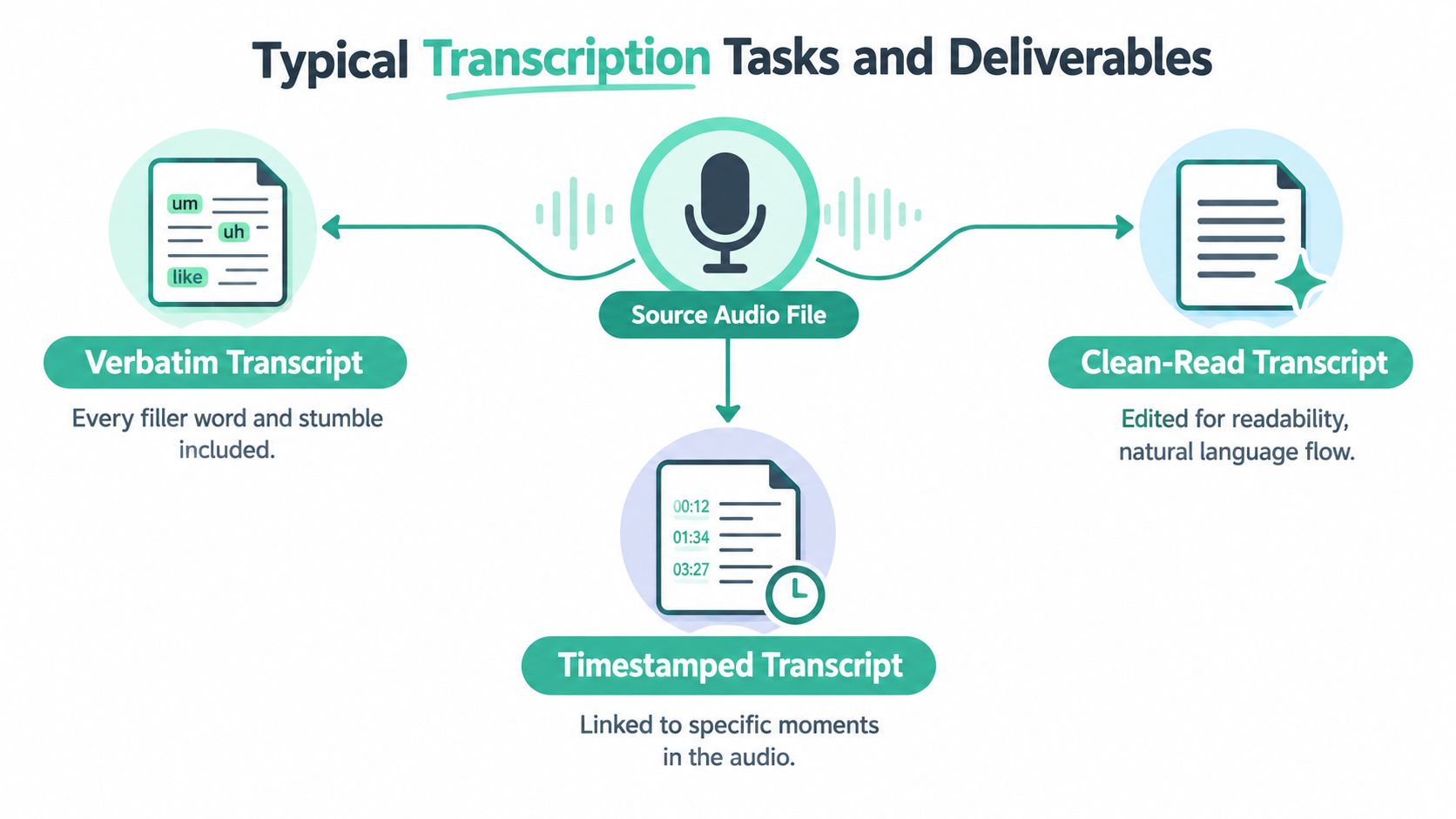
A timestamped transcript links words to moments in the recording, which makes it easier to jump back to the exact spot where something was said. That's the bridge between a text file and a video workflow.
What the transcript can become
Once the text exists, it can feed subtitles, translation, summaries, show notes, or edited articles. A court reporter may need a certified record, while a podcaster may want episode notes and pull quotes, and a researcher may want a file that can be coded and compared line by line.
For layout ideas that keep long interviews easy to scan, interview transcript layout is a useful companion guide.
Transcription is the base layer. Everything else, captions, translations, summaries, and searchable archives, starts with that one written record.
Skills Needed to Transcribe Accurately
Good transcription looks simple from the outside, but reliable work depends on several overlapping skills. The first is active listening, which means hearing through overlap, accents, and background noise without filling in gaps by guessing.
The skill stack behind a clean transcript
Language mastery matters just as much. A transcriber has to know grammar, punctuation, and vocabulary well enough to tell the difference between sound-alike words when the audio doesn't make it obvious.
Focus is another real requirement. Long files punish anyone who drifts, because one missed line can throw off speaker labels, numbers, or a whole paragraph of meaning. Research skills matter too, especially in medical, legal, or technical files where jargon needs to be checked instead of assumed.
Practical rule: If a name, term, or number feels uncertain, verify it before delivery. Guessing is how clean-looking transcripts become wrong transcripts.
Tools and quality habits
Tool fluency helps speed the work up without lowering quality. Foot pedals, hotkeys, text editors, and ASR drafts can all reduce strain if the person behind them knows how to use them well.
The final skill is quality control. That means checking names, confirming timestamps, and reading the text back against the audio before sending it out.
For a practical walkthrough of the workflow, transcribe audio file into text shows how raw media becomes usable written content.
A careless transcript usually fails in one of the same places, a mislabeled speaker, a swapped number, or a term that was never checked. Strong transcription work prevents those mistakes before the file leaves the editor.
Where Transcription Is Used in Real Life
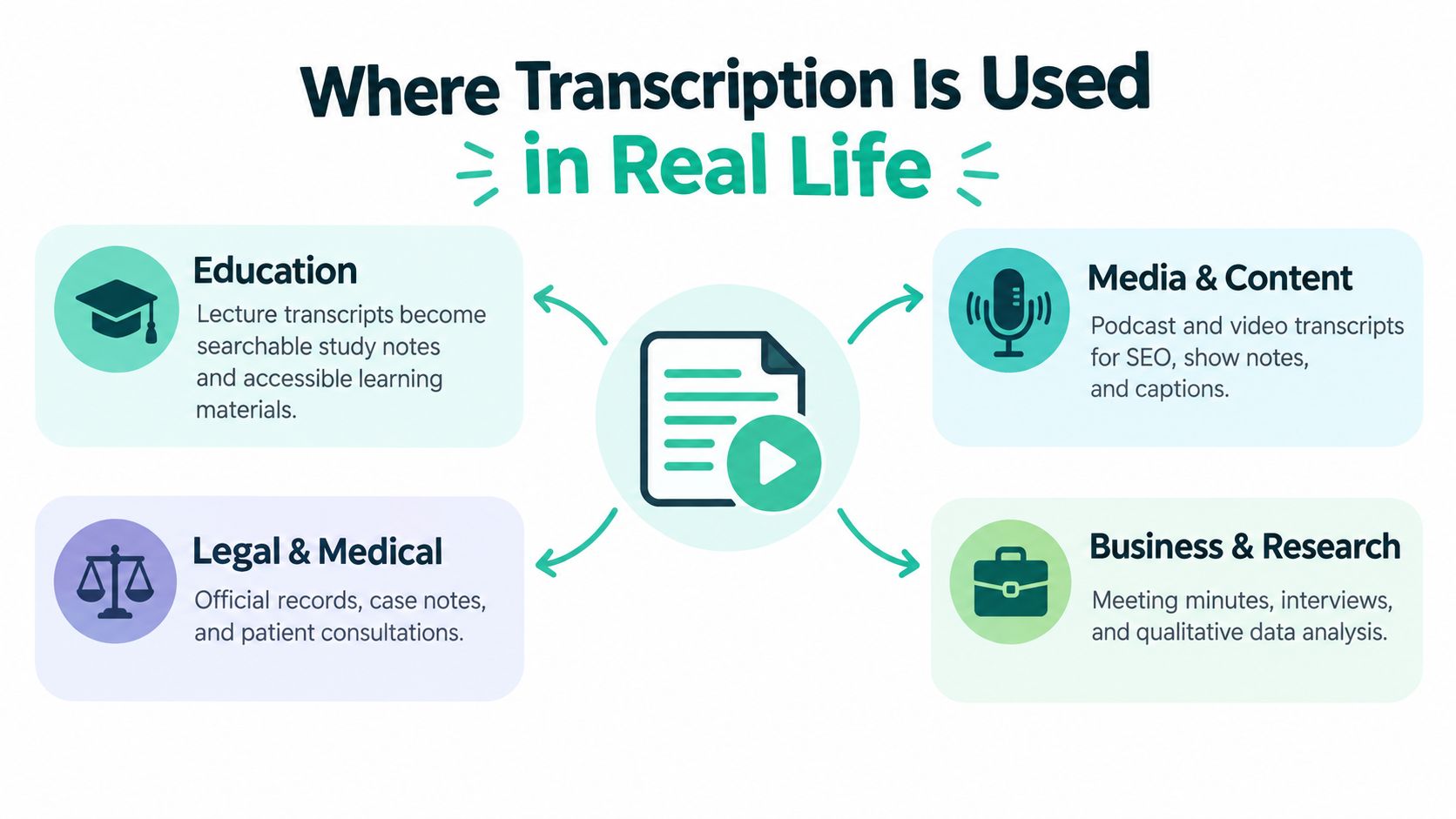
A transcript is useful because the same text can move into very different jobs. A lecture recording can become study notes, an interview can become a published article, and a meeting can become a searchable record of decisions.
Different teams, different outputs
In education, transcripts help students review lectures, search for a topic, and follow along more easily. In media, the same text can support show notes, captions, and repurposed clips, which is why many creators now treat transcripts as part of their publishing stack.
In business, meeting transcripts feed follow-up notes, training material, and internal documentation. In research, interview transcripts become the source material for coding, quoting, and thematic analysis.
Accessibility depends on the same output too. Subtitles and screen-reader-friendly documents both start with text that's accurate enough to trust and structured enough to use.
For short-form video workflows, transcribe Instagram video methods gives a helpful example of how a transcript supports repurposing.
One recording, many downstream uses
A single transcript can also support localization, search, and automation. Teams reuse it as a source script for translation, then send the text into analytics tools, chat systems, or content workflows.
That's why transcription is infrastructure. It isn't the end product, it's the material that lets other teams work faster and more accurately.
Accuracy, Timestamps, and Quality Control
A machine-generated transcript can look finished and still miss important details. Word Error Rate, or WER, measures insertions, deletions, and substitutions against a human reference transcript, and a 5% WER implies 95% accuracy by that definition (Speechmatics).
That number can sound comforting, but transcripts are not all equal. A missed drug name, a wrong dollar amount, or a swapped speaker label can matter far more than a few harmless filler words.
Why timestamps matter
Timestamps make long recordings easier to use. They let a reader jump to the exact point where something happened, which helps with subtitles, review, and content reuse.
Different teams use different formats, but the idea is the same, a marker in the text that points back to the audio. Speaker labels work in a similar way. They keep multi-person conversations readable instead of turning them into a wall of dialogue.
When human review is required
A human pass is usually required when the file has multiple speakers, background noise, technical language, named entities, or any legally binding context. The transcript can still start with automation, but it should not end there.
| Use Case | Target WER | Timestamps | Human Review |
|---|---|---|---|
| Rough internal notes | No fixed target | Helpful | Optional |
| Content repurposing | Low enough for clean editing | Strongly useful | Often light review |
| Accessibility and captions | Very strict, because users depend on the text | Required | Usually necessary |
| Legal or medical records | Extremely strict | Required | Essential |
For a practical editing angle on messy recordings, audio cleanup for podcasts is a useful companion resource.
Practical rule: If the transcript will be published, searched, or relied on for decisions, review it against the audio before delivery.
The final checklist is simple. Play the audio at different speeds, confirm speaker attribution, keep terminology consistent, spell-check proper nouns, and read the whole file once more before it goes out.
Choosing the Right Transcription Approach
The right method depends on the audio, the deadline, and how much error you can accept. A legal deposition, medical dictation, or research interview usually calls for a trained human transcriber, or a hybrid workflow with human review, because every word can matter.
A clean single-speaker recording in general English often works well with automated speech-to-text. A podcast episode, an internal meeting, or a content repurposing project often fits that pattern because speed matters and the audio is usually manageable.
Multiple accents, crosstalk, poor audio, or industry jargon change the answer quickly. In those cases, human review is the safer choice, even if software creates the first draft.
A simple decision framework
- Identify audio difficulty. Check whether the recording is clean, noisy, single-speaker, or crowded.
- Define the use case. Decide whether the transcript is for publishing, archiving, compliance, or quick internal use.
- Set the accuracy bar. Higher-stakes files need tighter review.
- Choose human, automated, or hybrid. Match the method to the actual risk, not the ideal scenario.
For short-form video workflows, transcribe Instagram video methods show how teams move from spoken clips to searchable text, captions, and edited copy.
Transcript.im is one option for teams that want transcription, translation, and AI follow-up in one web-based workspace, with timestamped text from public links or uploaded files. It gives teams one place to move from speech to editable text, then on to translation or follow-up work without switching tools.
If you're trying to turn audio into text without wasting time on replay loops, visit transcript.im and see how a single workspace can handle transcription, translation, summaries, and timestamped outputs in one place. It gives you a straightforward way to move from spoken recordings to text you can search, edit, and share.
Transcript Generator
Turn Any Video Into Text
Paste a YouTube, TikTok, or Instagram link and read the transcript, with timestamps on every line.
Exports as TXT, SRT, or VTT.