
Listening to Reading Made Simple and Useful
Turn listening to reading with transcripts, subtitles and AI tools. Learn benefits, workflows and when text beats audio for learning.
You've just finished a long lecture, podcast, interview, or team meeting. You remember the general topic, but finding one important detail means dragging the playback bar back and forth, hoping you'll recognize the right moment. Listening gave you the flow. It didn't always give you a reliable way to search, compare, pause, or check what you heard.
Introduction to Listening to Reading and Why It Matters
Listening to reading means turning spoken content into readable material, such as a transcript, subtitle file, cleaned notes, or translated text. The shift sounds simple, but it changes how you work with information. Audio moves forward like a river. Text gives you a map. You can follow the river for the experience, then use the map to find the exact bend where a name, instruction, definition, or decision appeared.
That distinction matters in classrooms, research, accessibility, journalism, and everyday work. An audio recording can preserve tone and emphasis, while a transcript makes the same ideas searchable and easier to review. A student can scan a lecture instead of replaying the entire recording. A creator can turn spoken ideas into an article. A team can check what a speaker said before passing information to someone else.
The approach also works in the other direction. You might read along while audio plays, use subtitles to support a second-language lesson, or review a transcript after listening. The best format depends on the material and the task. A vivid story may benefit from natural delivery, while a policy explanation may demand slow reading, repeated sentences, and written notes.
A useful rule: Use audio for flow, text for control, and both together when the pairing genuinely helps you follow the words.
Even creative audio can teach this lesson. If you're studying how sound creates suspense, resources about horror story audio tricks can help you notice pauses, pacing, silence, and vocal emphasis. Once those features become readable in a transcript with timestamps, you can examine them rather than relying on memory.
By the end of this guide, you'll know how spoken content becomes timestamped text, when reading while listening supports comprehension, when silent reading is safer, and how to build a practical workflow with a transcriber.
How Listening Becomes Readable Text
The conversion from sound to text is easier to understand if you treat it as a set of layers rather than a single magic button.
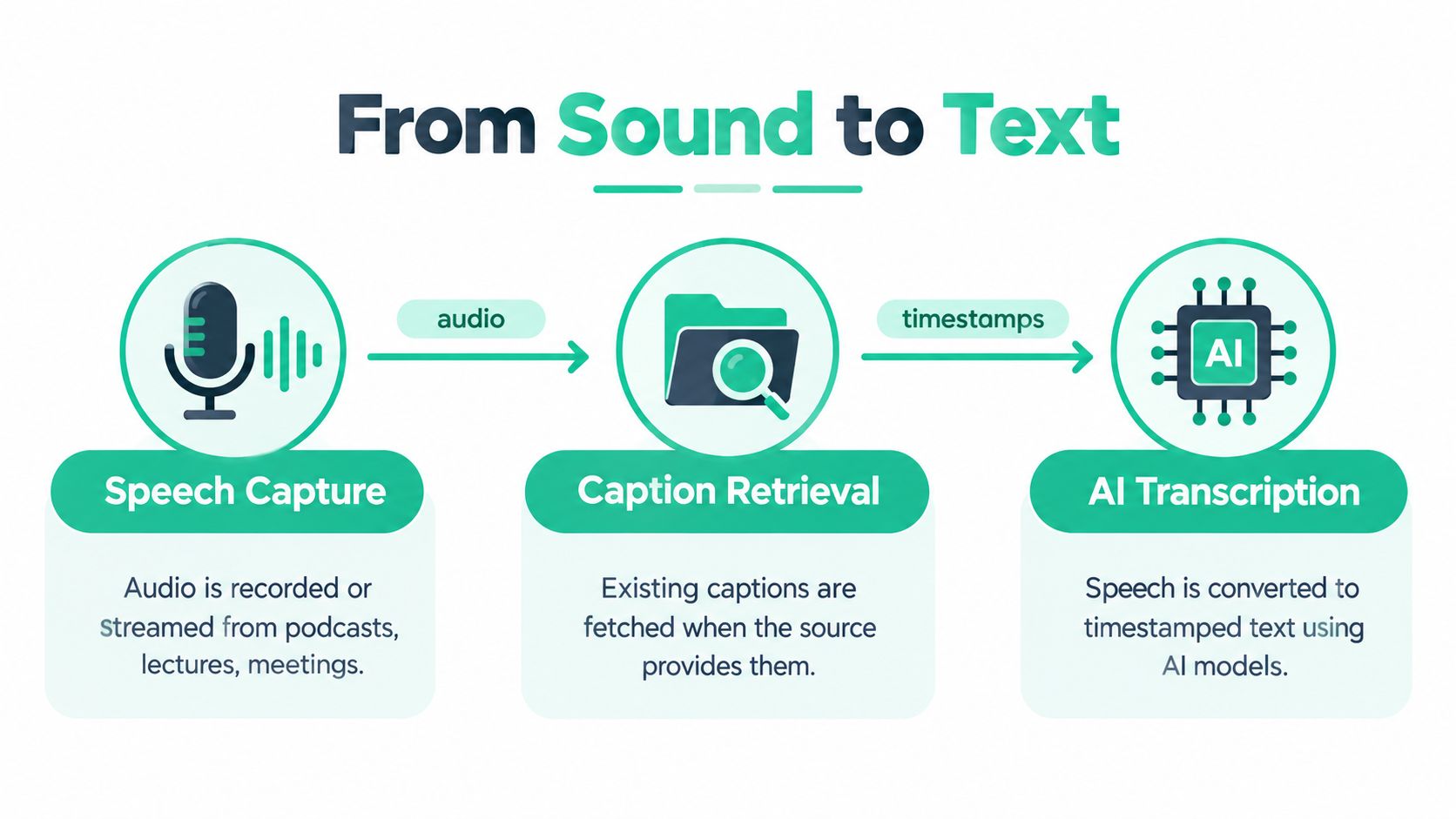
The first layer captures speech
A recording begins as spoken sound from a lecture, podcast, meeting, interview, or video. The system receives that audio and looks for language within it. Background noise, overlapping speakers, accents, poor microphones, and music can affect how clearly the words are recognized, so a transcript still needs review when accuracy matters.
The second layer checks for existing captions
Some platforms already provide captions. YouTube states that its automatic captions are created with speech recognition technology, and an available caption track can be translated automatically into 51 languages through its documented caption system (YouTube Help explains automatic captions and translation). Retrieving an existing caption track can be quicker than creating a new transcript from the audio.
If captions aren't available, an AI speech-to-text system analyzes the recording and produces text. For sensitive research, you may also want to compare workflows that emphasize secure voice-to-text for research, especially when the source material requires careful handling.
The third layer connects words to time
A useful transcript doesn't only contain sentences. It also connects sections of text to moments in the recording. Auto-alignment can synchronize a prepared transcript with the video stream without requiring the uploader to match every line manually, as Google Research describes in its explanation of automatic captioning and alignment.
That timing creates several practical formats:
- Raw transcript: Speech is captured closely, including repetitions or false starts.
- Clean transcript: Wording is edited for readability while preserving the meaning.
- SRT or VTT subtitles: Text is divided into timed segments for video playback.
- Translated subtitles: The language changes while the timing remains connected to the original speech.
Think of the raw transcript as a faithful notebook, the clean transcript as an edited handout, and subtitles as cards that appear at the right moment on screen. Each serves a different purpose. A researcher may want searchable wording. An editor may need a clean script. A video publisher may need SRT or VTT.
For a closer look at readable editing choices, see this guide to clean verbatim transcription. The important question isn't whether a tool produces text. Ask whether you can locate the source moment, correct errors, preserve timing, and export the result in the format your next task requires.
When Reading While Listening Helps and When It Does Not
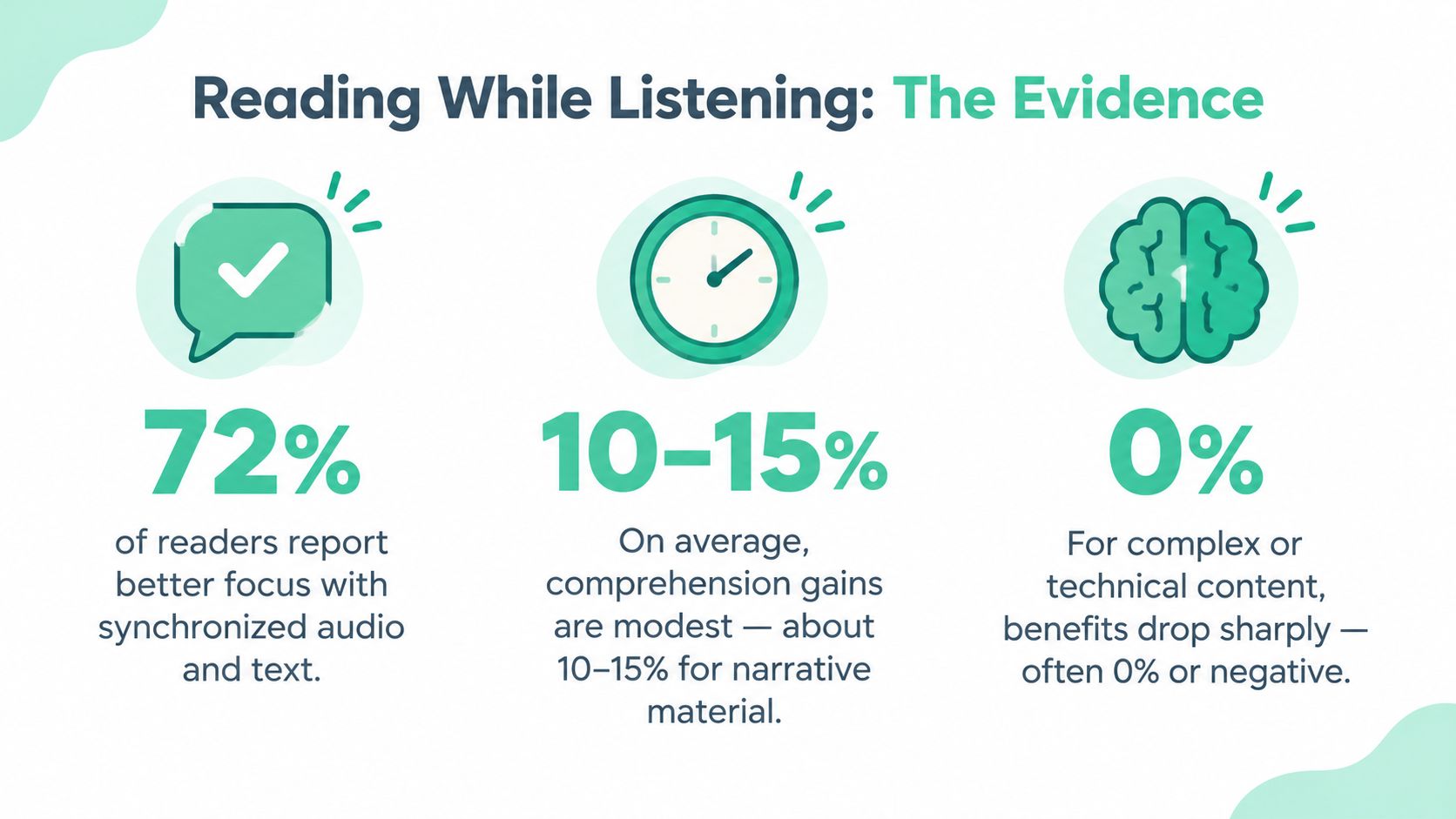
Many people assume that adding audio to text must improve understanding. The evidence is more selective. A 2023 systematic review and meta-analysis found only a small overall comprehension benefit for reading while listening compared with reading alone, with Hedges' g = 0.18, SE = 0.07, p = 0.01 (the review and meta-analysis). That result suggests a modest average advantage, not a universal one.
The difference became clearer when researchers separated pacing conditions. In experimenter-paced reading, the benefit was much larger, at g = 0.41 with a 95% confidence interval of [0.13, 0.70]. In self-paced reading, the gain was not reliable, at g = 0.06 with a 95% confidence interval of [-0.07, 0.19]. In plain language, synchronized audio appears more useful when the timing helps control decoding and segmentation. When readers already control the speed, audio may add little.
Why pacing changes the result
Suppose a learner is following a passage and struggles to identify where one phrase ends and the next begins. Synchronized audio may provide a steady boundary. It can show the reader how words group together, especially when the text and speech remain closely aligned.
Now change the situation. The reader is studying a difficult paragraph, wants to reread one sentence, and needs to pause to write a note. If the audio keeps moving, the learner may divide attention between the spoken stream and the slower analysis. The extra channel can become another demand instead of another support.
A 2026 study in an L2 context reported that reading while listening could reduce comprehension compared with silent reading, although both reading conditions still outperformed listening-only (the L2 study). The study also found that segmentation skill and orthographic decoding predicted comprehension overall, but they didn't create the expected interaction with input condition. That finding weakens a simple explanation that audio always helps because it improves phonological decoding.
Practical rule: Start with synchronized audio and text for short, well-aligned passages. Switch to silent transcript reading when you need to pause, annotate, or untangle a complex sentence.
The lesson isn't that one format wins. Task design matters. Audio-text alignment, pacing, language background, decoding ability, and the difficulty of the material all influence the result. Test the pairing against a concrete goal, such as recalling a definition or locating a supporting detail, rather than judging it by how smooth the experience feels.
{% youtube id="0WGiVmUT72c" /%}
Why Complex Ideas Are Often Better Read Than Heard
Listening can feel efficient because the speaker keeps the ideas moving. That same linear flow can hide gaps in understanding. If a sentence contains a qualification, a technical term, or a relationship between several conditions, you may feel that you followed it while missing a detail that changes the conclusion.
Research on complex material points to a meaningful tradeoff. A 2025 study of consumer and news interpretation found that readers processed sentences more thoroughly than listeners and reported stronger arousal than listeners (the Journal of Marketing study). The finding matters because reading and listening can produce different judgments, not merely different experiences of the same message.
A parallel-corpus analysis of complex health information also found greater audience comprehension for text than audio, as discussed in the same research source. This doesn't mean audio is unsuitable for health or news content. It means a transcript can provide the control needed to inspect wording, revisit a claim, and distinguish a central statement from a small but important limitation.
Compare the formats by task
| Task | Reading | Listening |
|---|---|---|
| Checking exact wording | Easy to search and compare | Requires replaying |
| Reviewing a qualification | Supports pauses and rereading | Can pass quickly |
| Following a narrative | May feel more deliberate | Often preserves tone and flow |
| Annotating an argument | Direct and visible | Requires separate notes |
| Sharing accessible material | Transcript can be copied or translated | Audio supports auditory access |
A transcript becomes a precision tool when the cost of misunderstanding is high. In legal, policy, training, medical, or research settings, readers may need to mark a term, compare two passages, or return to the exact timestamp. Text also supports collaboration because another person can inspect the same wording without guessing which moment in the recording contains it.
Notice the risky audio-first habit
The risky habit is treating recognition as comprehension. You listen, the sentences sound familiar, and you assume the meaning is secure. A simple check is to stop after a section and write the claim in your own words. If you can't state the condition, evidence, or next action, switch to the transcript before making a decision.
For global knowledge work, transcripts also support translation, review, and annotation across languages. Audio can remain the human connection, but readable text gives teams a shared surface for precision.
How to Turn Any Audio or Video Into Readable Text
A dependable workflow starts with the source, not with editing. Keep the original link or file, decide what you need the text for, and choose an output that matches the final use.
Start with the easiest source
For a public YouTube, TikTok, or Instagram item, copy the media link. For a local recording, upload the audio or video file. A workspace such as transcript.im can accept public links and uploaded files, retrieve available captions, and use AI speech-to-text when captions are missing. Its audio file transcription workflow is useful when the source lives on your computer rather than on a social platform.
If you're processing a playlist or a collection of interviews, place the links together instead of handling each item in a separate browser tab. Batch processing, pause controls, resume options, and retries help you keep track of unfinished work. For editing projects, merged exports can put related transcripts into a single working package.
Retrieve captions before creating new text
Existing captions may already include timing information. Google explains that auto-alignment can synchronize a transcript with a video stream, while YouTube documents automatic caption creation and translation. Use the available caption track first, then review it against the audio. This avoids unnecessary transcription work, but it doesn't remove the need for human checking.
The University of Dundee's accessibility guidance recommends waiting two to six hours after uploading to YouTube before editing automatic captions and describes retrieving the text by opening the video menu and selecting “Open transcript” (Dundee's captioning and transcript guidance). That timing is a practical reminder that caption availability may not be immediate.
Review before you polish
Read the transcript once for meaning, then listen to uncertain passages. Check names, numbers, specialist vocabulary, speaker changes, and sentences that sound incomplete. Timestamp navigation lets you jump from a line of text to the matching moment instead of searching through the entire recording.
Use a simple decision table:
| Your goal | Start with | Finish with |
|---|---|---|
| Study notes | Clean transcript | Outline or mind map |
| Video subtitles | Timed transcript | SRT or VTT |
| Article drafting | Clean transcript | Edited document |
| Translation | Timestamped text | Translated timed file |
| Research review | Faithful transcript | Notes with source timestamps |
Clean the wording only after you've preserved the original. Removing filler can make a transcript easier to read, but aggressive editing may hide uncertainty or change the speaker's intent. Translation should also preserve timing when subtitles need to remain synchronized.
Tools for turning transcripts into editorial material can sit alongside broader resources such as SleekPost AI content insights, particularly when a team wants to move from captured speech toward structured content. Keep the source transcript available so every summary, outline, or rewritten passage can be checked.
Real World Uses That Make Listening to Reading Valuable
A podcast producer may listen for tone, then read the transcript to locate the strongest explanation of an idea. Instead of replaying a long interview every time an editor needs a phrase, the producer searches the text, checks the timestamp, and returns to the original audio for context. The result isn't just faster drafting. It protects the speaker's meaning.
A student can use the same pattern with a lecture. Listening provides the teacher's emphasis and examples. The transcript turns those ideas into searchable study material. The student can ask an AI tool for an outline or mind map, then compare the result with the transcript rather than treating a generated summary as the lesson itself.
“Use the recording to understand the voice. Use the transcript to verify the idea.”
A team documenting a meeting has a different need. New colleagues may not have attended the original discussion, and a recording alone forces them to watch or listen from the beginning. A timestamped transcript gives them a readable record of decisions, open questions, and terminology, while the original recording remains available when tone or context matters.
Journalists and interviewers also benefit from the separation between discovery and verification. They can skim a transcript to find a relevant passage, listen to the surrounding exchange, and prepare accurate subtitles or quotations. The workflow supports accessibility because people who can't or don't want to consume the audio still receive the content in text.
For audio series, a dedicated podcast-to-transcript workflow can support several outputs from one recording:
- Creators: Convert spoken episodes into readable drafts, captions, and article material.
- Students: Search lectures, mark key passages, and build revision notes.
- Researchers: Review interviews while keeping timestamps attached to evidence.
- Teams: Create onboarding references from demonstrations and training sessions.
- Publishers: Offer text alternatives for audiences with different access needs.
These examples share one principle. Listening to reading turns a temporary stream into a working document. The document can be searched, edited, translated, annotated, and checked against the original sound.
Choosing Your Listening to Reading Workflow and Next Steps
Choose the format based on the job, not on the assumption that more media is always better.
Use reading while listening when the audio and text are well synchronized, the pace helps you segment speech, and the material is short enough to follow without constant interruption. Use silent transcript reading when the content is technical, when you need to annotate, or when you're comparing precise wording. Add translation when language is the barrier. Add a summary, outline, or mind map when the main problem is orientation, but verify important points in the transcript.
A practical starting sequence looks like this:
- Choose one public video or audio file.
- Create or retrieve its transcript.
- Read a section without audio and note what you understand.
- Replay the same section with synchronized text.
- Keep the format that helps you answer your actual question.
- Export TXT for notes, SRT or VTT for subtitles, and a cleaned version for editing.
You can begin with a free audio transcription workflow, then expand to batch processing or AI actions when your workload grows. Success doesn't mean finishing audio faster. It means finding information reliably, understanding complex points, and preserving enough context to use the material responsibly.
Use transcript.im to turn a YouTube, TikTok, or Instagram link, or an uploaded audio and video file, into readable timestamped text without starting with a sign-up. Visit transcript.im to create your first transcript, review it alongside the source, and choose the text or subtitle format that fits your next task.
Transcript Generator
Turn Any Video Into Text
Paste a YouTube, TikTok, or Instagram link and read the transcript, with timestamps on every line.
Exports as TXT, SRT, or VTT.