
How to Get a TikTok Transcript That Actually Works
Learn how to get a clean TikTok transcript using built-in captions, manual methods, and dedicated tools. Step-by-step tips for accurate, reusable transcripts.
You've got a TikTok clip that already performed well, and now you need the words out of it fast. Maybe you want to turn it into a blog post, a quote graphic, subtitles for Reels, or a clean note for your team, but the built-in captions keep missing slang, skipping names, or trapping the text inside the app. That's the tiktok transcript problem, getting usable text that survives repurposing.
Why TikTok Transcripts Are Harder Than They Look
A viral clip can be easy to watch and hard to reuse. The moment you need that same video in a YouTube Short, a blog draft, or a client deck, the gaps show up, captions mishear a phrase, two speakers talk over each other, and there's no clean export sitting in a folder.
That mismatch matters because TikTok captions are built mainly for on-screen readability, not for a standalone transcript file. TikTok's own help pages explain that creators can generate, edit, and turn off captions, but they don't spell out a simple export path for a reusable transcript outside the app TikTok auto captions help. Accessibility guidance tends to point toward separate transcript files and subtitle formats, which tells you the user need goes beyond what the app natively surfaces.
The three-tier decision
Most work falls into three buckets. In-app captions are the fastest starting point, manual transcription is the cleanup-heavy fallback, and link-based tools sit between speed and control. If you want a broader workflow around audio and video text, a separate transcription workspace like transcript.im's audio transcription guide fits into the same decision tree.
Practical rule: start with the least work that could still give you a usable result, then escalate only when the output breaks timing, accuracy, or export needs.
The failure points are usually the same. Slang gets flattened, speaker labels disappear, music masks consonants, and text stays locked in a format you can't reuse. If the clip has one clean speaker and you only need a quick recap, simple methods can work. If it has a stitch, a duet, accents, or fast delivery, you should assume cleanup is part of the job.
Using TikTok's Built-In Captions as a Starting Point
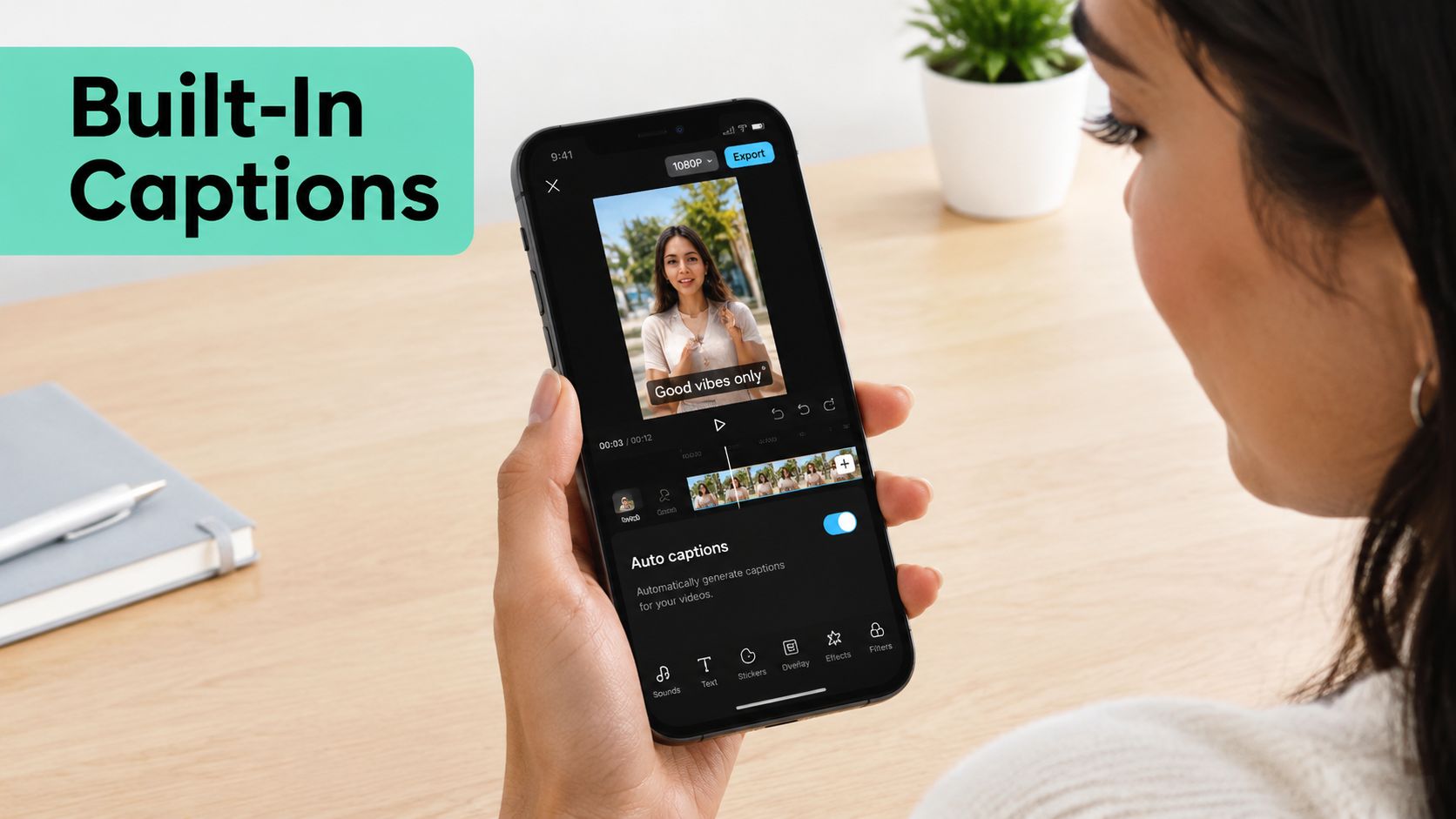
TikTok's own caption tool is the baseline because it's already attached to the video. Open the editor, turn on captions, choose the available language if prompted, and review the text before posting. That path is fine when you're publishing the video itself and you mainly want on-screen accessibility.
The limitation is what happens after posting. TikTok captions are usually meant to stay inside the post, and they often compress phrasing for readability instead of preserving a word-for-word record. That's useful for viewers, but not enough if you need a TXT file for a blog draft or an SRT file for another editor.
A workable habit is to treat the in-app captions as raw material. Copy the text when you can, screen-grab it when you can't, and use it as the first pass before cleanup. For a quick extraction workflow, this TikTok downloader path is the kind of starting point that saves time when the video is public and the captions already exist.
Where the built-in route stops
TikTok's captions often rewrite phrasing into shorter chunks, which is fine for viewers but awkward for reuse. The text track also doesn't give you a native, friendly export to TXT, SRT, or VTT, so there's no clean file waiting for the next step.
That's why copying text from the share view or from screenshots is still common. It isn't elegant, but it gives you something editable. From there, the smarter move is to drop that text into a cleanup pass and shape it into readable prose or timed subtitles.
{% youtube id="fr-rfKZKIN4" /%}
For creators who only need a fast reference, that's often enough. For anyone repurposing the clip into multiple formats, it's just the beginning. A caption track is not yet a transcript you can reliably search, quote, or export.
Transcribing a TikTok Video Manually When Captions Fail
Manual transcription still matters when captions are missing, disabled, or too inaccurate to trust. The workflow is simple, but it rewards discipline. Scrub the video in 3 to 5 second chunks, type exactly what you hear into a plain text file, and drop timestamps at natural phrase breaks instead of forcing them every sentence.
A repeatable pass
Start with the first clean phrase you can catch, then keep moving. If the clip is a stitch or a duet, assign speaker labels from the first switch, not halfway through, because fixing anonymous lines later is annoying and error-prone. A dual-pane editor helps because you can keep the video on one side and the transcript on the other without constant tab switching.
For short clips, the trade-off is time. A 60-second clip usually takes 8 to 12 minutes to transcribe cleanly, which is slow compared with automation but realistic when the audio is messy or the speech matters. If you're dealing with a voice-only clip, a resource like convert MP3 to text accurately is useful context for the same manual mindset, because clean input still drives the result.
Manual transcription works best when you accept that the first pass is capture, not perfection.
When you want a cleaner workflow for spoken audio files, this file-to-text guide fits the same cleanup logic. The core idea is still the same, get the words down first, then normalize them for reading, clipping, or publishing.
How to keep the pass readable
Don't try to beautify while you listen. Type the words, mark uncertain sections, and keep moving. If a phrase is too fast, leave a bracketed note and return to it later with headphones and slower playback. That keeps the transcript moving instead of stalling on one hard line.
Lightweight note apps and subtitle editors both work here, but the best one is the tool you'll keep open. The more you can reduce context switching, the less likely you are to lose the thread when the speaker changes pace or the background noise spikes.
Link-Based Transcript Tools and How They Differ
Link-based tools fall into two pipelines, and they behave differently. Caption-first tools pull the captions already attached to the TikTok, while ASR-first tools fetch the video and run speech-to-text from scratch. That difference affects speed, formatting, and how much cleanup you'll do later.
| Pipeline | Data Source | Strengths | Weaknesses | Typical Output |
|---|---|---|---|---|
| Caption-first | Existing burned-in or generated captions | Fast, usually preserves the creator's timing choices, low setup friction | Inherits caption mistakes, misses silent overlay text, no rescue when captions are absent | Plain text, sometimes timestamped text |
| ASR-first | Downloaded video audio | Can work when captions are missing, often returns exportable files | Slower, can struggle with slang, accents, music bleed, and overlapping voices | Plain text, JSON, SRT, VTT |
Caption-first workflows are good when the video already has readable captions and you want the closest thing to the creator's original text packaging. ASR-first workflows are better when the captions are missing or unusable, but they'll still stumble when the track is noisy or the speaker changes quickly. A practical editing workflow like modify transcript regenerate voice makes sense only after you've got a transcript worth changing in the first place.
What the output tells you
Time codes matter when you're clipping, subtitling, or syncing to another edit. Plain text is better when you're drafting a blog, pulling quotes, or building notes. JSON is useful for developers, while SRT and VTT matter when the transcript needs to behave like subtitle data instead of a block of copy.
For a tool that handles TikTok links and exports timed text, this video transcript generator fits the link-based category cleanly. The main question isn't whether a tool can spit out words, it's whether those words arrive in a format that survives the next job without another cleanup pass.
Cleaning Up and Exporting a Usable Transcript
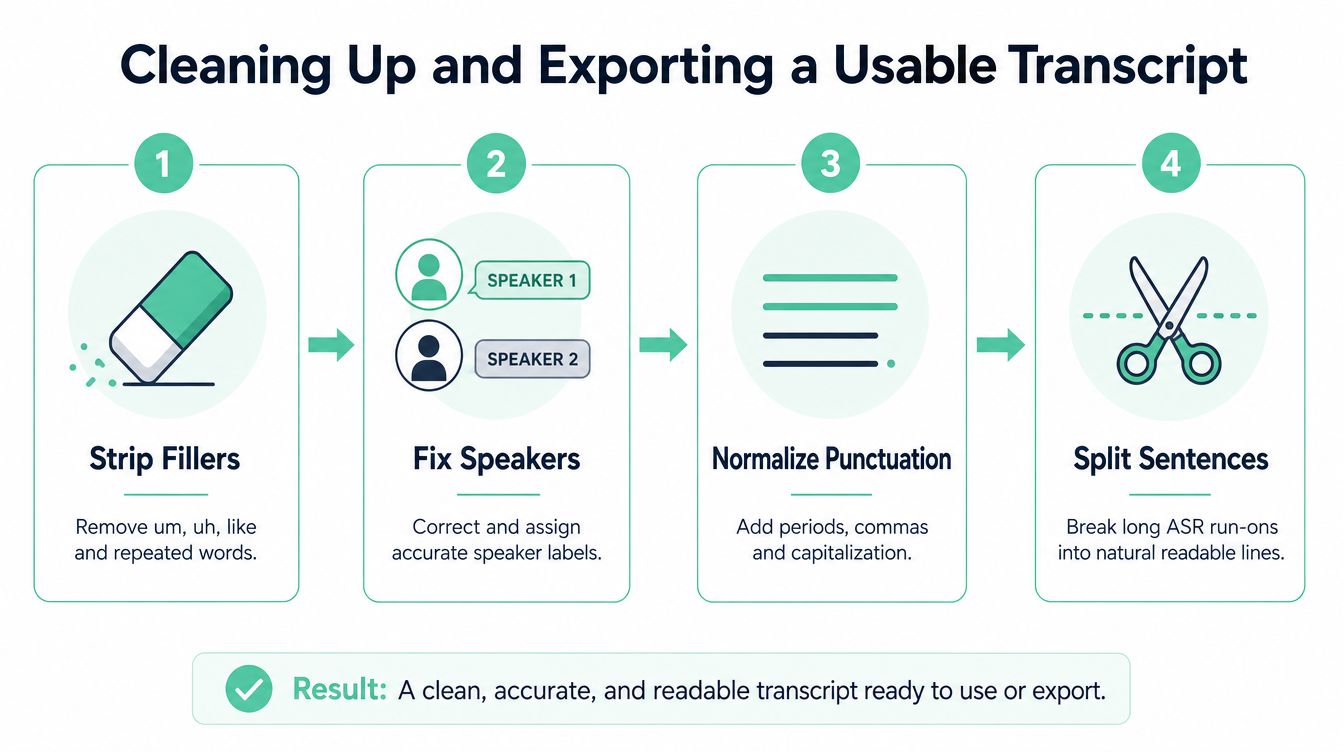
A raw transcript is only valuable after you shape it. Strip filler words like “um” and “uh” when they don't carry tone, fix speaker labels, normalize punctuation, and split run-on ASR sentences into lines that look like something a person would read. That cleanup does more for usability than chasing tiny wording changes too early.
Fix timing before you export
Timestamp drift usually shows up where the speaker begins a clear word and the subtitle still lags behind. Anchor your correction on a phonetic cue that's easy to hear, then re-check the line against that sound instead of dragging the timestamp blindly. That works better than trying to “feel” where the subtitle should land.
Once the text reads cleanly, choose the export by purpose. TXT works for blog reuse and note-taking, SRT works for editors, VTT works for web players, and DOCX is handy when other people need to comment before publishing. A separate guide on clean verbatim transcription is useful if you want to preserve speech more tightly while still making the result readable.
Keep the export format tied to the next task, not the tool that generated it.
Quick final check
- Line length: make sure the text doesn't crowd the screen or the page.
- Readability: split long ASR run-ons into natural pauses.
- Capitalization: fix names, brands, and sentence starts before anyone else sees the file.
- File type: match the export to the final use, not to convenience.
If you're sharing with collaborators, keep a clean doc copy plus the subtitle file. That gives you one version for comments and one version for production.
Accuracy Pitfalls in TikTok Speech and How to Catch Them
TikTok speech breaks transcripts in predictable ways. Rapid slang gets flattened, regional accents bend word recognition, code-switching confuses language detection, background music eats consonants, and overlapping voices turn two people into one unreadable line. The problem gets worse when the source captions were already auto-generated, because then the transcript pipeline inherits the original mistakes.
The checks that actually catch errors
Read the transcript aloud against the video, not against memory. Then replay the clip at 0.75x speed so you can hear where the machine missed a word, especially around names, brands, and punchline phrases. If a word is uncertain, bracket it instead of guessing, because a visible uncertainty is easier to fix than a confident mistake.
There's also a useful quality benchmark from a 2024 ACM study of 300 TikTok videos. Human utterances appeared in 99% of the sample, captions appeared in 96.7%, at least one error showed up in 19.7%, and the average word error rate for videos with errors was 7.9% ACM study on TikTok caption quality. Those numbers are a reminder that “captioned” does not mean “clean enough to publish without review.”
Practical rule: if a transcript is going to be reused publicly, give homophones, product names, and speaker turns a second pass.
A second research point matters too. Independent work on transcription bias found accuracy gaps for male speakers and non-native English speakers ICWSM study on transcription bias, which means an ASR tool can look fine on average and still fail badly on the exact clip you're trying to use.
When the audio is bad enough that you're fixing nearly every line, re-transcribe from scratch instead of patching. That's usually the cheaper move in time and sanity.
Choosing the Right Method for Your Workflow
The right method depends on what breaks first, speed, accuracy, or export format. Use TikTok's built-in captions when the clip is short, the speech is clean, and you only need on-screen text for your own post. Use manual transcription when slang, accents, or music make the machine unreliable and the words matter enough to justify the effort.
A simple decision filter
- Caption availability: if captions exist and are readable, start there.
- Audio clarity: if the track is noisy or overlapping, expect cleanup or manual work.
- Language and accent: if the speaker is using strong slang, an accent, or multiple languages, plan for review.
- Final format: if you need TXT, SRT, VTT, or a blog draft, choose the path that exports in that shape first.
- Clip volume: if you're handling many links or repurposing a batch, a link-based tool usually saves time.
The middle path is where most creators land. Link-based tools are the best fit when captions are missing, when you need something exportable, or when you're turning one clip into several assets like a Reel, a quote card, and a blog paragraph. A creator-focused option like the AI UGC creator tool can sit alongside that workflow when the transcript is feeding new social content instead of just documentation.
The fallback rule
Start with the fastest method that could still meet the job, then escalate only when the result fails a real requirement. If the text is good enough but the timestamps drift, fix timing. If the timing is fine but the wording is messy, clean the text. If both are broken, stop salvaging and switch methods.
That's the most practical way to treat a tiktok transcript. Don't chase the perfect method first, choose the one that gets you usable text with the least rework for the format you need.
If you want a cleaner way to turn public TikTok links or uploaded clips into timestamped text, visit transcript.im. It handles transcript generation, export, and cleanup in one workspace, so you can move from clip to usable text without bouncing between tools.
Transcript Generator
Turn Any Video Into Text
Paste a YouTube, TikTok, or Instagram link and read the transcript, with timestamps on every line.
Exports as TXT, SRT, or VTT.